Support
Help with Bias Drill
Something not working, or a question the answers below don't cover? Email mce.aviles@gmail.com. Please include your device model and iOS version.
How is a candle graded?
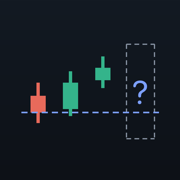
The drill measures how far the hidden candle ran above its open (high minus open) and how far below (open minus low). If one side is at least the flat band times the other, that is the direction: expand bullish or expand bearish. Otherwise the candle is flat. The close is ignored. Change the flat band (1.5×, 2× or 2.5×) in Settings.
Which timeframes can I drill?
Weekly, daily and 4-hour. Choose at the top of the market menu on the Drill tab, or in Settings. Each timeframe keeps its own set. EUR/USD and WTI are weekly only, and an imported file keeps the timeframe it was exported at.
Are the markets real?
The five markets marked with ~ are simulated. Each is shaped to the behaviour of a real instrument, including its overnight gaps on daily and 4-hour charts, but the bars are generated on your device, so they never repeat. EUR/USD and WTI crude oil are real weekly history, built from public-domain Federal Reserve and EIA daily prices. Those sources publish one price a day, so their wicks run shorter than on an intraday chart.
How do I import my own data?
Go to Settings → Your own data → Load a CSV export. Any CSV with time, open, high, low and close columns works. In TradingView, open a symbol on the 1W, 1D or 4H chart and use Export chart data. The timeframe is read from the file, and a candle still trading when you exported is left out. You can keep up to 8 series, and exporting the same chart again updates its series.
Why does my import say the data is thinly traded?
Many of its candles never trade on one side of their open. That usually comes from a single futures contract, such as MNQU2026, whose history from before it became the front month barely traded. Export the continuous contract instead (for example MNQ1!).
Why was my file refused?
Bias Drill drills weekly, daily and 4-hour candles. A 1-hour, 15-minute or monthly export is refused rather than drilled as the wrong timeframe; the message names the spacing it found.
How do I restore my purchase?
Sign in with the Apple Account you bought the unlock with, then go to Settings → Unlock → Restore a previous purchase. The unlock is a one-time purchase, not a subscription, and it carries over to your other devices.
How do I reset my score?
Open the Score tab and tap Reset score. Your settings and imported data stay. Free trial calls are counted for the life of the install and are not reset.
Does the app need an internet connection?
No. The drill works fully offline. Only buying or restoring the unlock needs a connection to the App Store.